
HTML Themed Demo
Explore LoginRadius HTML Themed Demo for simplified website user registration, login, and customization using HTML for a consistent user experience.
HTML Themed Demo
This document contains all of the details for our LoginRadius HTML themed demo. This demo is a simple website that allows different functionalities such as registration and login using the HTML method. This demo demonstrates the ease of implementation, getting a centralized look and feel, and customizability.
How to Start
- Clone or Download our demo project from here.
- Fill in your credentials under the config.js file located in the root of the project.
- Start your demo project with any web-server.
- We recommend http-server which is installable via
npm install http-server(npm required)
var loginRadiusConfig = {};
loginRadiusConfig.apiKey = "<LoginRadius API Key>";
loginRadiusConfig.appName = "<LoginRadius tenant name>";
loginRadiusConfig.hashTemplate= true;
loginRadiusConfig.sott ="<Sott>";
loginRadiusConfig.verificationUrl = window.location;//Change as per requirement

var LRObject= new LoginRadiusV2(loginRadiusConfig);SOTT:
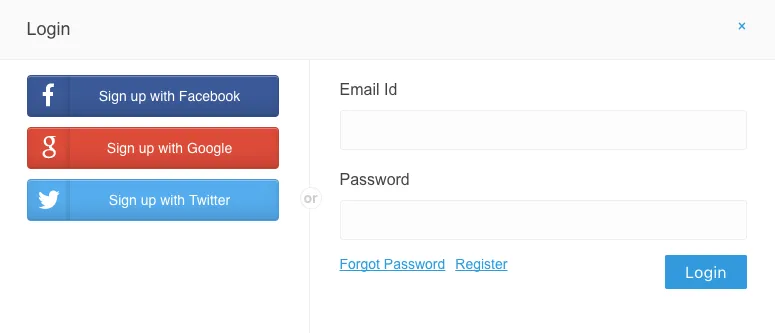
How it Looks
Login Page
Register Page
Forgot Password
On Error
For any input validation errors, the error would display above the form.
On Loading
HTML and JS Demo
Learn how to use HTML, CSS, and JavaScript with LoginRadius for building interactive and engaging web applications.
Iframe Implementation
Learn how to use LoginRadius iframe implementation to display the Hosted Registration page, manage events, and create a seamless, customizable user experience.